


What it shows you
A single, easy-to-understand number that reflects your current level of protection based on your settings, behaviors, and the features you've turned on.



81 Phishing Attack Statistics 2023: The Ultimate Insight published by Astra, April 2023.
Based on an online survey of 1,001 adults in the U.S. conducted by The Harris Poll on behalf of Gen™ (formerly NortonLifeLock), November–December 2022.

*Important subscription, pricing, and offer details:
2 Requires an automatically renewing subscription for a product containing antivirus features. For further terms and conditions, please see norton.com/virus-protection-promise.
4 Only available on Windows systems (but not in S mode or on ARM processors).
21 Utilities Ultimate, Driver Updater, Software Updater, and Cloud Backup features are only available on Windows (excluding Windows in S mode and Windows running on ARM processor).
‡ Monitoring available on Windows™ PC, iOS, and Android™ devices. Not all features available on all platforms.
§ Monitoring not available in all countries and varies based on region.

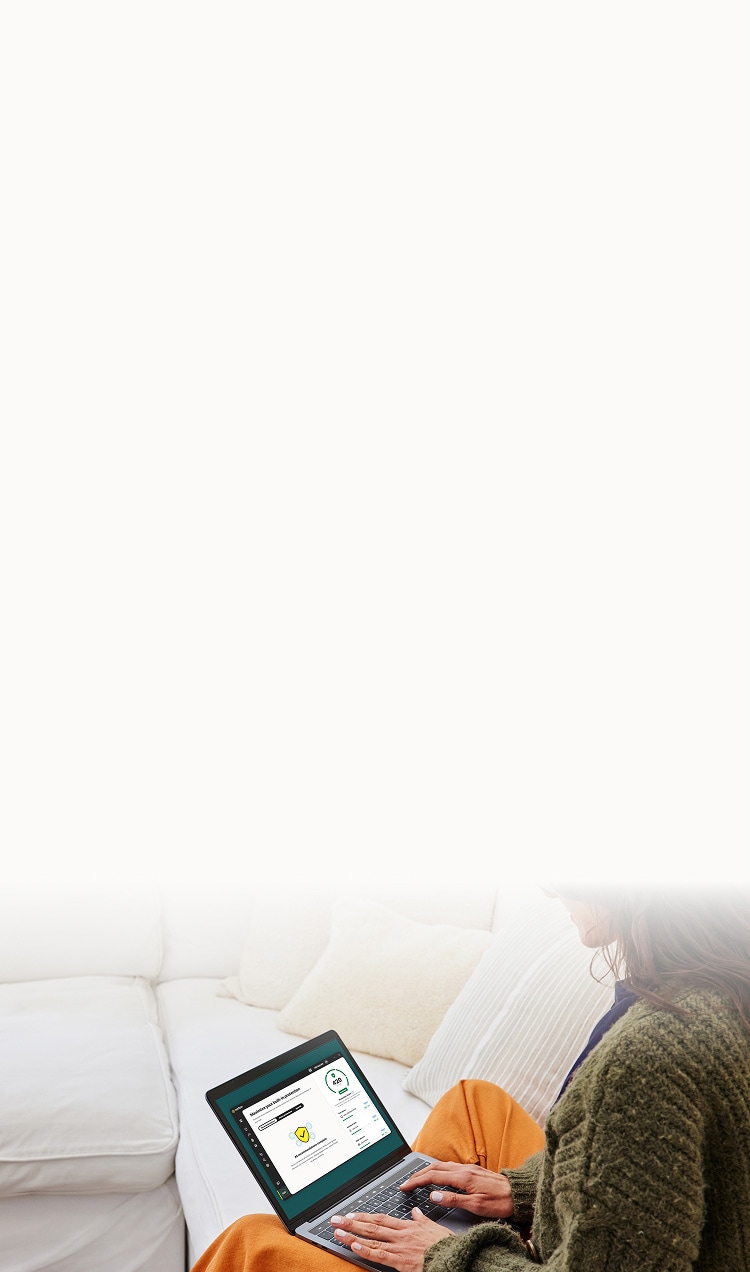
The Norton Protection Score shows how well you’re using the security features in your plan, and what else you can turn on to stay safer. It gives you a clear view of your current protection, so you can spot gaps and take action if needed.
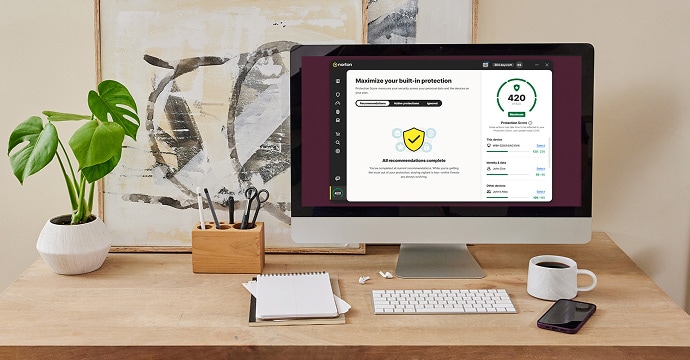
A single, easy-to-understand number that reflects your current level of protection based on your settings, behaviors, and the features you've turned on.

Highlights what you're doing well to protect yourself, and where you can improve. You'll get clear, personalized recommendations.

Most people don’t use all the features they have access to, or even know they’re there. The Protection Score helps you get more from your plan.
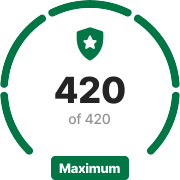
What your score means
All major protections are active, and your security habits are strong. While no setup is perfect, you’ve taken every available step to help keep your data and devices safe. Great work!
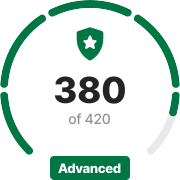
What your score means
Your setup is proactive and well-managed. Most protections are on, and your behavior helps keep threats at bay. Only minor improvements are left to reach the highest score.
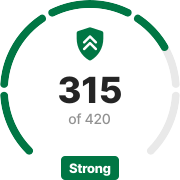
What your score means
Most key protections are active, and your security habits are working in your favor. A couple of small updates could take it even further.
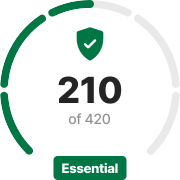
What your score means
You’ve made a solid start. Some protections are in place, and you're beginning to build safer habits.
Turning on a few more features can significantly boost your level of protection.
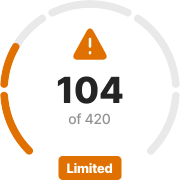
What your score means
A few protections are active, but your setup is still missing some important steps.
Enabling more of the tools included in your plan will help you build a stronger baseline.
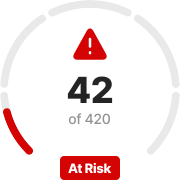
What your score means
Some key protections are currently off, and your setup leaves several important areas uncovered.
Turning on essential features can help reduce your exposure and improve your overall safety.
What your score means
All major protections are active, and your security habits are strong. While no setup is perfect, you’ve taken every available step to help keep your data and devices safe. Great work!
What your score means
Your setup is proactive and well-managed. Most protections are on, and your behavior helps keep threats at bay. Only minor improvements are left to reach the highest score.
What your score means
Most key protections are active, and your security habits are working in your favor. A couple of small updates could take it even further.
What your score means
You’ve made a solid start. Some protections are in place, and you're beginning to build safer habits.
Turning on a few more features can significantly boost your level of protection.
What your score means
A few protections are active, but your setup is still missing some important steps.
Enabling more of the tools included in your plan will help you build a stronger baseline.
What your score means
Some key protections are currently off, and your setup leaves several important areas uncovered.
Turning on essential features can help reduce your exposure and improve your overall safety.
What your score means
All major protections are active, and your security habits are strong. While no setup is perfect, you’ve taken every available step to help keep your data and devices safe. Great work!
What your score means
Your setup is proactive and well-managed. Most protections are on, and your behavior helps keep threats at bay. Only minor improvements are left to reach the highest score.
What your score means
Most key protections are active, and your security habits are working in your favor. A couple of small updates could take it even further.
What your score means
You’ve made a solid start. Some protections are in place, and you're beginning to build safer habits.
Turning on a few more features can significantly boost your level of protection.
What your score means
A few protections are active, but your setup is still missing some important steps.
Enabling more of the tools included in your plan will help you build a stronger baseline.
What your score means
Some key protections are currently off, and your setup leaves several important areas uncovered.
Turning on essential features can help reduce your exposure and improve your overall safety.
Quickly see what’s turned on, what’s missing, and where you can improve.
Take action, turn something on, or adjust a setting, and you’ll see your score reflect it.
Your max score and recommendations are based on what’s available in your plan.
Here are some of the features and actions that can contribute to your score. These may vary depending on your Norton plan.

Protection is set up on all devices
No eligible device is left without protection.

You use strong passwords
Password Manager is enabled and in use.

You turn on Secure VPN
Especially on public and unsecured networks.

Parental Control is active
Tools are on to help you keep kids safer online.

Your identity monitoring is set up
Dark web and privacy monitoring are in use.

Your software is up to date
Security updates are regularly installed.

You regularly back up your data
Cloud Backup is set up and in use.

You avoid risky websites
Safe Web is helping block known threats.


