






VPN for smartphones
How does a VPN for your smartphone protect your privacy? Learn how using a VPN on your smartphone, especially while using public Wi-Fi networks, can help keep your browsing activity safe and private.
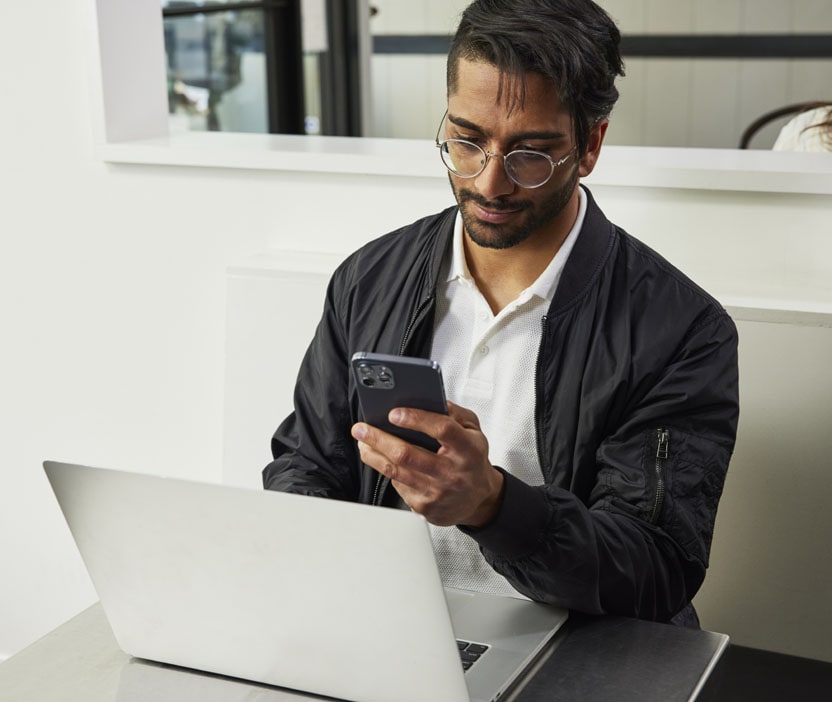

Your smartphone contains a smorgasbord of personal information, passwords and data. If you wouldn't give a stranger on the street access to your smartphone, you should take steps to protect your security on public Wi-Fi by using VPN (virtual private network) service. Just like you protect your smartphone, you should guard the data you use on a network. As you learn more about virtual private networks, consider how a VPN could keep your personal data safe, especially while on the go.
In this article:
What is a virtual private network for your smartphone?
Public Wi-Fi and smartphone VPNs
How does a VPN work on a smartphone?
One VPN, multiple devices
Encryption and security
VPN servers and IP addresses
Reasons to use a VPN app
Are there smartphones that are equipped with VPN?
Should you use a free VPN on your smartphone?
Choosing the best VPN service for your smartphone
What is a virtual private network for your smartphone?
Virtual private networks give you a private and secure way to connect to the internet wherever you use it. VPN providers use security protocols that encrypt your data, helping to prevent others from accessing data like credit card numbers and passwords while using a public Wi-Fi network. By creating a secure, encrypted connection between your public internet connection and the VPN service’s private server, a VPN acts as a protective barrier for your smartphone’s connection to a network that many people use simultaneously, such as at a coffee shop or airport. For Android users, utilizing a VPN for Android phones further enhances this security, specifically tailored for the Android platform.
Public Wi-Fi and smartphone VPNs
Many people rely on public Wi-Fi networks while out and about, particularly since this can decrease your cellular plan data usage and improve connection speeds. Having compatible protection in place is essential when accessing a public network. Signing on with a virtual private network can secure the connection between your smartphone and the public Wi-Fi. Imagine that a public network is a transparent, leaky water bottle, showing everyone what's inside and even letting some of it out. A virtual private network is like a sturdy, opaque metal water bottle that can keep its contents safe and out of view. When it comes to the information you use online, such as your passwords, credit card numbers and the questions you ask search engines on a daily basis, you want to know that those are safe when you use public Wi-Fi. A VPN serves two purposes in this role: It can secure the connection so outside users can't interrupt it and it can guard your privacy as you access the internet through a public network.
How does a VPN work on a smartphone?
VPN services might seem complex, but they're incredibly easy to use. All the work takes place behind the scenes, saving you time and effort. First, you connect to a public internet network. Open your VPN for smartphone app and let it do the work. It sets you up with a secure connection and connects you to a private network. VPN servers are typically located all over the world, so you can connect to the server location of your choice.
Many people connect to the internet on multiple devices, including laptops, tablets and smartphones. If you take the extra step to protect your data on one device, go all the way and make sure you're safe whenever you access the internet. Many VPN services enable use on all of your machines, making it easy to switch whenever you want between VPN for Windows, VPN for Mac, VPN for iOS, and VPN for Android, or to use the same service on multiple devices simultaneously.
VPN services use a variety of encryption techniques and security protocols to scramble your internet activity and help keep people from being able to read through your website history like a magazine. A paid VPN service acts like a secure tunnel. It encrypts data being sent over the network and can make outside access more difficult. As a result, your data and your device may be much safer.
Every time you access the internet, check out a new website or update your social media, your internet protocol (IP) address is visible. Your IP address is tied to the network you use and your physical device. This virtual footprint tells a lot about you. It may identify your city and internet provider. Network owners, companies and government authorities can use this information to figure out which websites you've visited. If you visit social media sites, this information could be used to determine exactly who you are.
No one wants to live under a microscope, and a virtual private network can offer you more privacy as you browse the web. When you connect with a VPN provider, you connect to the internet via its server. As a result, your activity shows up under another IP address and not directly linked to you. Additionally, many VPN services do not log your activity, so the company providing the service doesn’t even have a record of your activity online.
Reasons to use a VPN app
A VPN app can be a convenient way to give you privacy and security on shared, public network. If you're wondering if a VPN app is a good fit for you, consider these functions and benefits:
- Encrypt your online activity
- Protect your information such as credit card numbers and password while on public Wi-Fi networks
- Hide your IP address and keep your internet activity private
- Keep downloads private
Are there smartphones that are equipped with VPN?
If you have an Apple smartphone, you can remedy that problem by learning how to use a VPN on an iPhone.
Some smartphones come with built-in VPN software. These devices let you cloak your activity and have minimal set-up requirements. However, the VPN is restricted to your smartphone. You can't use the same network to protect your computer or tablet, something to keep in mind if you want the ease of connecting to the same service on multiple devices. With external VPN services, you can often choose which network you connect to and customize your choices based on server location.
Should you use a free VPN on your smartphone?
Free options work for some parts of life. But when it comes to your online presence and security, you can't be too careful. Free VPNs may come with drawbacks such as:
- Security protocols may be limited
- Connection can be slow, laggy or entirely unavailable at times, particularly with free VPN services that cap your bandwidth usage
- The provider may track your data, and may use it for advertising purposes
You want to select a provider whose quality and security you can trust. Speed is also important, and a paid VPN service may let you enjoy higher connection speeds than a free service, so you don't have to sacrifice speed or bandwidth for security. While free services may track and save your activity, many paid providers offer a no-log guarantee. This means they don't track the sites you visit as you surf the web. Perhaps most importantly, most paid options have strong security protocols so you can surf the web with peace of mind.
Choosing the best VPN service for your smartphone
Finding a VPN provider that fits your needs makes it easy to enjoy private, secure surfing. As you compare VPN services, look for these features:
- Non-logging, which means the network does not store your browsing activity
- Blocking of ad trackers that customize advertisements to your browsing history
- Strong encryption technology
- High number of servers to prevent server overload
- Variety of server and exit locations that let you access global content
- Multiple device support
- User-friendly mobile apps
To pick a VPN option, think about how you use your smartphone and which features are most important to you. If privacy is your highest priority, choose a no-log VPN that doesn't save or sell your data. Ad-tracking may be an important feature to you, or perhaps using a service with many server locations fits your needs. For any use, be sure to select a VPN provider who uses strong encryption so that you can be sure that your activity is private and secure on whichever network you use.
Editorial note: Our articles provide educational information for you. Our offerings may not cover or protect against every type of crime, fraud, or threat we write about. Our goal is to increase awareness about Cyber Safety. Please review complete Terms during enrollment or setup. Remember that no one can prevent all identity theft or cybercrime, and that LifeLock does not monitor all transactions at all businesses. The Norton and LifeLock brands are part of Gen Digital Inc.


Want more?
Follow us for all the latest news, tips, and updates.