


Cyber safety guide for middle school kids
The best way to fight cybercriminals is through education, and that can start at any age. Here are a few tips to help your middle school child explore the Internet freely.


Remaining constantly aware of everything children are doing online can be a full-time job for any parent. Kids these days may seem pretty sharp with technology and the Internet; however, we forget that they’re still learning (and so are we) and may not always be prepared to spot the risks and pitfalls of being constantly connected. We’ve put together some tips for you as a parent to ensure that your children are safe on the Internet, and some basic cyber security tips that you can share with your children. The best way to fight cybercriminals is through education, and that can start at any age.
A Guide For Parents:
How much screen time is too much?
Being online can take up a lot of free time, whether you’re a parent or a child. It’s easy to get caught up in playing online games, watching YouTube videos, and chatting with friends. But remember, there is a world outside of the Internet, so try to balance your child’s time between the two accordingly. Only allow your child to access to the Internet (with the exception of doing homework) for a set, limited time each day.
Social Media, What is the right age?
If your child wants to join a social media site, choose sites that are appropriate for their age. Many social networking sites such as Facebook, Twitter, and Instagram have an age minimum of 13 years old. It’s a good idea to have access to your child’s account credentials so you can supervise what they’re doing, such as adding new friends, receiving suspicious messages, or posting questionable content. It’s also a good idea to look for kid-friendly social media sites for your kids to focus on, or simply inform them they’ll have to wait until they’re older to join such platforms.
Monitoring your kids’ online activity.
The computer should be in a common area of your home. That way, you can keep an eye on your child, removing the temptation to visit websites or perform activities they are not allowed to do normally. Another way to add an extra layer of safety, since parents don’t have eyes in the back of their heads, is to upgrade to a Norton 360 Premium account, which will give you insights into your child’s Android mobile device activities as well. It will even allow you to choose which apps your children can use — and the ability to turn off access to Facebook or YouTube. Remember to keep all security software updated to ensure optimal protection.
Other helpful tips:
- Periodically review your children’s list of instant messenger buddies.
- Stay up to date on cyber security news.
- Emphasize that computer privileges will not be taken away in the event of cyberbullying, which is one reason why children don’t alert their parents that they’re being bullied.
- Encourage regular password changes and teach your kids not to share passwords, not even with friends.
A Guide For Kids:
Do not give personal information to strangers online.
Personal information is anything about you. Your full name, where you live, your school’s name, your parent’s names, your home address, and phone number. These pieces of information can help a stranger on the Internet find you, so be very careful about whom you give this information to. Do not give it to anyone you have not met in real life. If you share any of this information on social media sites, be sure to check the privacy settings on the site to make sure none of it is viewable by the public.
Make online accounts safe and use strong passwords.
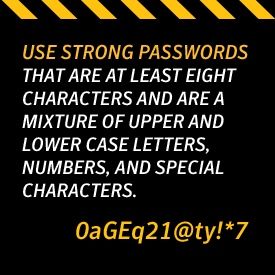
A strong password is a password that is no less than eight characters, and should not include words that can be found in a dictionary, as that makes it easier for hackers using computer programs to guess your password. They should contain a mixture of numbers, uppercase and lowercase letters, and special characters. Don’t reuse the same password on every site you visit.
When creating an account to join a website, be sure to create a username that protects your personal information. Don’t use your full name as the username, as that is part of personal information that strangers can use to find out more about you by doing a simple Internet search.
Social Media Netiquette.
What you post online will stay there forever, even if you delete it. Colleges and future potential employers will check out social media profiles of applicants, so make sure that what you post online is appropriate, and check your security settings to be sure that everything you post can only be seen by your friends. If you don’t know how to do that, you can ask an adult for help. Beware of “catfishing.” Catfishing is when a person sets up a profile and pretends to be someone they’re not. You may think you’re talking to a kid your age, but it could be an adult pretending to be a child behind your computer screen. Use caution when someone you don’t know approaches you on social media, and if something about it makes you feel uncomfortable, you should notify a parent or teacher as soon as possible. And remember, if you don’t know the person, do not “friend” him or her.
Cyberbullying
Cyberbullying is similar to bullying in real life except that it takes place via electronic devices. This can be a mean text message, rumors spread on social media sites, and even posting personal information about you online. If you come across a situation that makes you feel uncomfortable or bad, do not respond to it yourself. Instead, notify a parent or teacher about the hurtful messages. Adults take cyberbullying seriously, and there can be consequences for the bully, such as being suspended from school or getting disciplined by their parents.
App Security 101
Just because an app is available for download doesn’t mean that it is a safe app. It’s best to download apps from known and trusted online stores like Google Play or the Apple App Store, which test the apps to make sure they’re safe to use.
Scammers are constantly trying to trick people into downloading apps that look just like a real app in order to try to get the data that is on your phone. You can check if an app is real by reading the comments on the download page. If you still can’t tell, ask an adult to help you choose the right app before downloading it. Or you can use Norton Mobile Security, which alerts you to suspicious apps before you download them.
Other helpful tips include:
- Joining clubs or entering contests only after you’ve obtained your parents’ approval.
- Remembering that if it sounds too good to be true, it is.
Never replying to “friends” on social media asking for money or clicking on suspicious links they send. Once again, if you don’t know the person, do not accept their friend request.
Editorial note: Our articles provide educational information for you. Our offerings may not cover or protect against every type of crime, fraud, or threat we write about. Our goal is to increase awareness about Cyber Safety. Please review complete Terms during enrollment or setup. Remember that no one can prevent all identity theft or cybercrime, and that LifeLock does not monitor all transactions at all businesses. The Norton and LifeLock brands are part of Gen Digital Inc.






Want more?
Follow us for all the latest news, tips, and updates.