







What is social engineering and how not to fall for it
Most cybercriminals are master manipulators, but that doesn’t mean they’re all manipulators of technology — some favour the art of human manipulation instead. Learn how different examples of social engineering work and the techniques to watch for. Then, install a trusted cybersecurity tool that can help you spot cyberattacks launched by social engineers and help you keep your personal data private.






Social engineering definition
Social engineering in cybersecurity is the practice of manipulating someone into giving up sensitive information, usually through exploiting human error or taking advantage of trust in digital communications.
How social engineering works
Social engineering works by building false trust, exploiting human error, and using persuasion to gain access to sensitive or confidential information. As with most cyber threats, social engineering schemes can come in many forms, but they all generally work the same way.
There are four basic steps to a successful social engineering attack:
- Preparation: The social engineer gathers information about their victims, including where to contact them, such as on social media, email, text-messaging platforms, etc.
- Infiltration: The social engineer contacts their victims, often by impersonating a trustworthy source and using the information gathered about their victims to gain trust.
- Exploitation: The social engineer uses persuasion to request information from their victims, such as contact information or even login details that they can use for fraudulent purposes.
- Disengagement: After carrying out their attack, the social engineer abruptly breaks off communication with their victims.
Depending on the social engineering attack type, these steps could span a matter of hours to months. But no matter the time frame, knowing the signs of a social engineering attack can help you stop it.
How to spot a social engineering attack
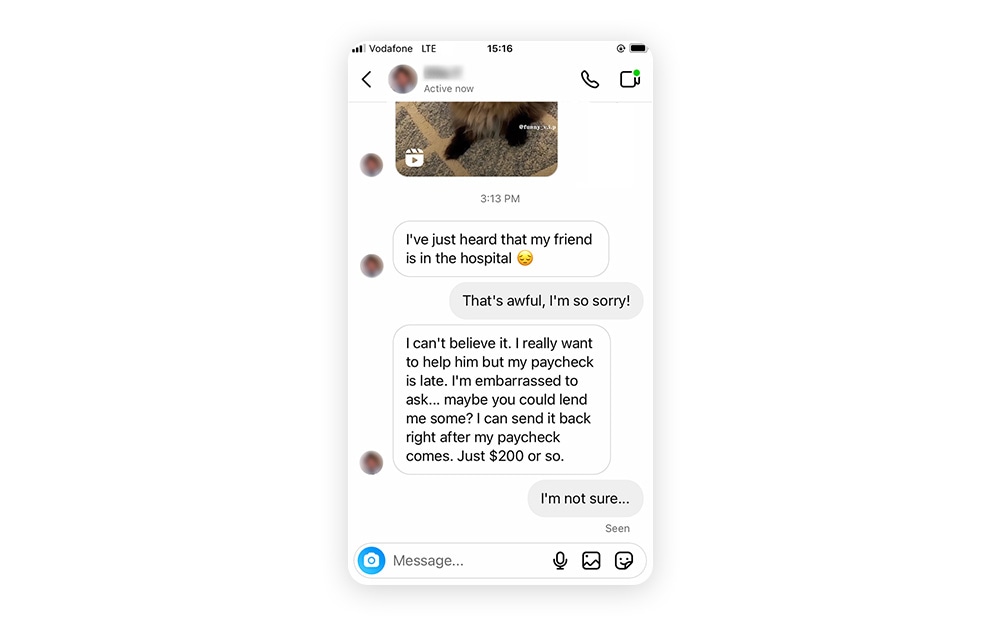
If you receive a message from a stranger that feels random, too personal, or too good to be true it’s likely the beginning of a social engineering attack. Unlike traditional cyberattacks where cybercriminals like to remain unnoticed, social engineers often communicate directly with their victims in plain sight.
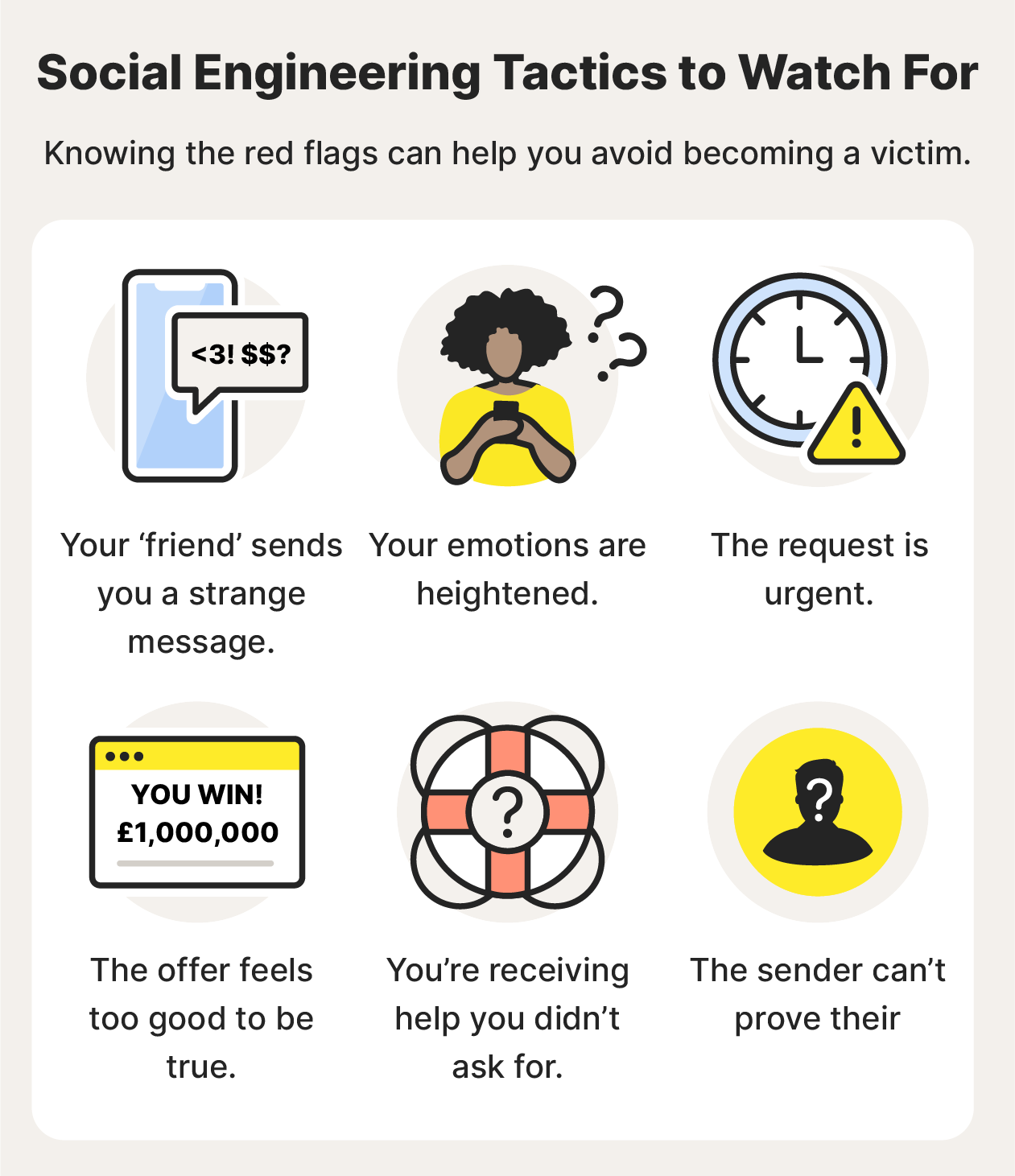
Here are some common social engineering techniques to watch out for:
- Strange messages: Social engineers can pose as trusted individuals, including a friend, colleague, or even a bank. But you know your friends best, so if someone sends something out of the ordinary, ask them about it. Just use a different form of communication in case they were spoofed.
- Emotional manipulation: Social engineers are great at stirring up specific emotions like fear, curiosity, or pity, so consider the cause of these emotional triggers before acting on them. If a complete stranger messages you with a sob story, it’s likely a social engineering technique.
- Urgent requests: Social engineers don’t want you to think twice. That’s why many social engineering attacks involve some type of urgency, such as a lottery you need to enter immediately or cybersecurity software you need to download to wipe a supposed virus off your computer.
- Offers that feel too good to be true: It's tempting to want to cash in on winning the lottery or go on a free cruise. But chances are that if the offer seems too good to be true, it is — it's probably a social engineering attack.
- Unsolicited help: Social engineers might reach out pretending to be from a company providing help for a problem you don't have, like in a tech support scam. Don’t be fooled into granting unsolicited remote access to your computer.
- False or unproven identity: If you raise any suspicions with a potential social engineer and they’re unable to prove their identity — perhaps they won’t do a video call with you, for instance — chances are they’re lying about who they are and what they want.
8 types of social engineering attacks + examples
Almost all cyberattacks have some form of social engineering involved. And many social engineering techniques also involve malware — malicious software that wreaks havoc on devices and potentially monitors your activity.
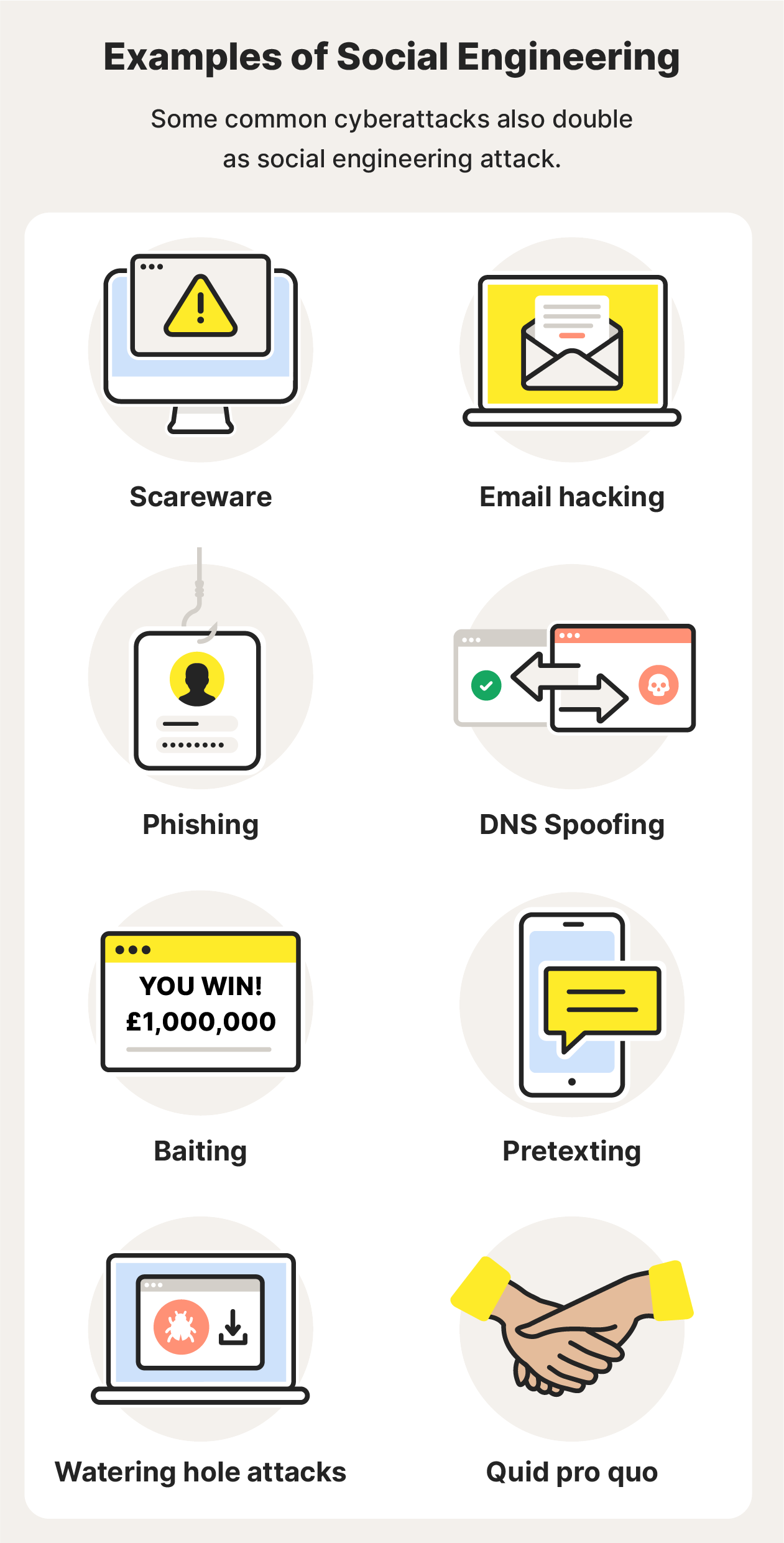
Here are some common forms of social engineering and examples, from in-person manipulation to annoying spam texts:
1. Scareware
As the name indicates, scareware is malware that aims to scare you into doing something fast. It often comes in the form of pop-ups or emails imploring you to act immediately to get rid of supposed viruses or malware on your device. In fact, if you act you might be downloading a computer virus or malware.
Scareware example — Imagine you’re scrolling through your phone when you receive a message purporting to be from a popular messaging app telling you that the software version you’re using is outdated and warning you against the dangers of not keeping your apps up to date. So, you click the provided link. But instead of the app being updated, your device is infected with malware.
2. Email hacking and contact spamming
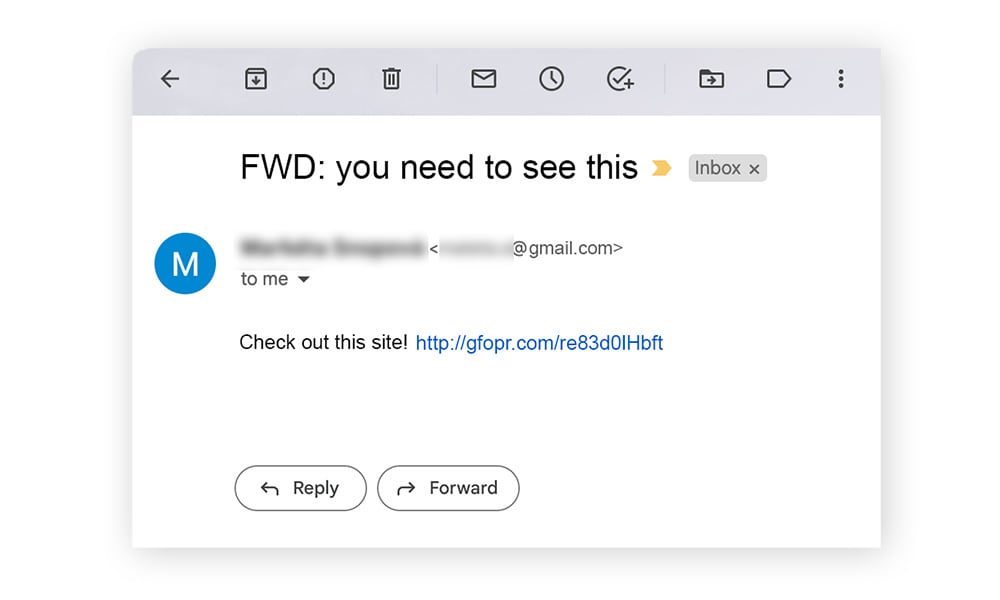
It’s in our nature to pay attention to messages from people we know. And social engineers know this all too well, commandeering email accounts and spamming contact lists with all types of social engineering threats.
Email hacking and contact spamming example — Your friend sends you an email with the subject, “Check out this site!” and you don't think twice before opening it. By hacking an email account, a social engineer can make contacts believe they’re receiving emails from someone they know. Usually, the purpose is to spread malware or trick people into exposing their personal data.
3. Phishing
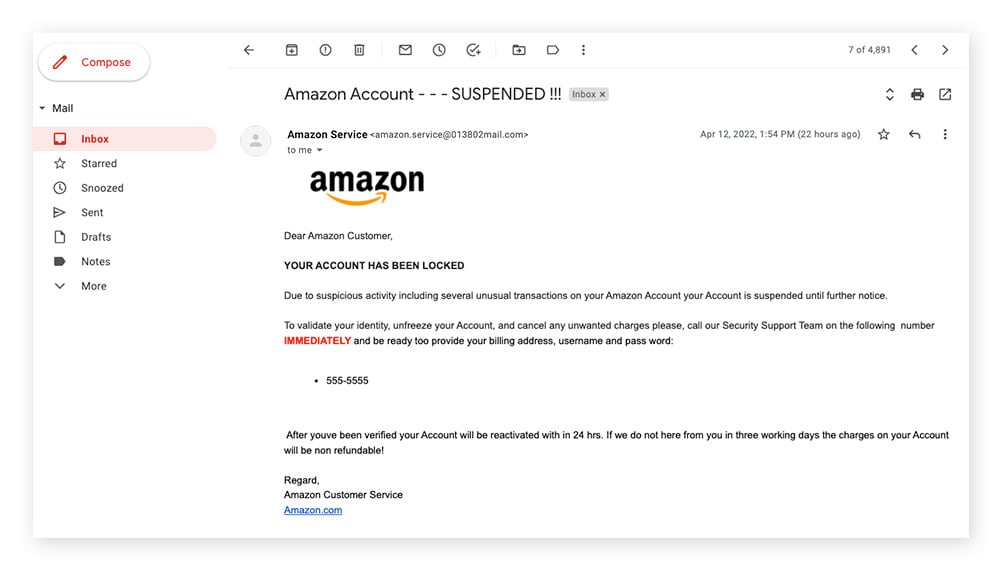
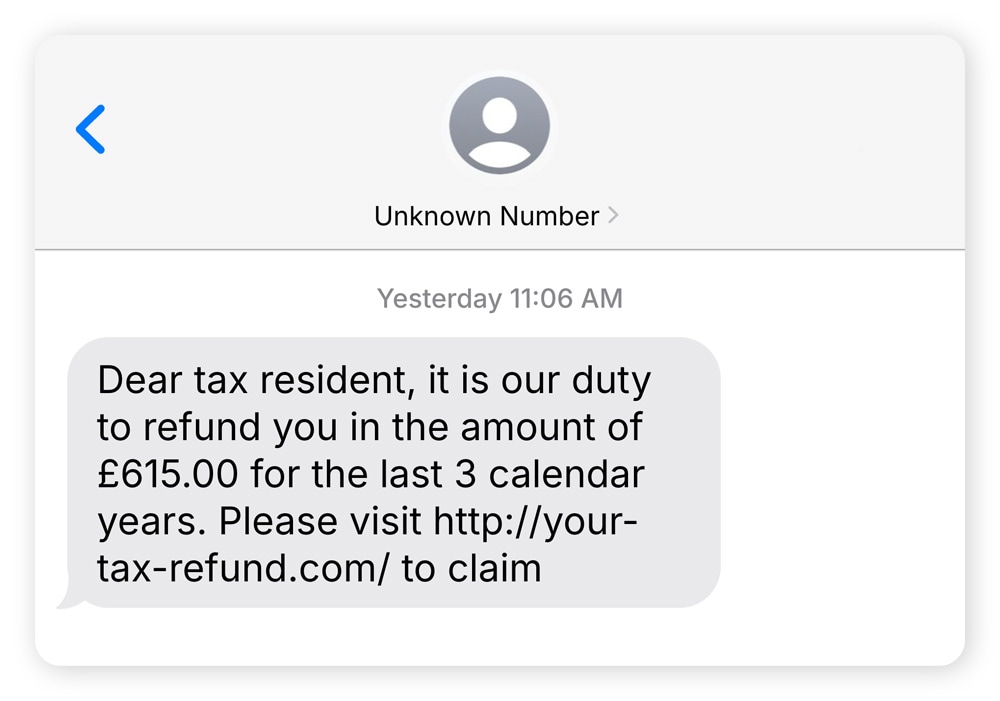
Phishing is one of the most common types of social engineering, and typically involves a cybercriminal sending an email or text message asking for private information or encouraging you to click on an infected link. Different types of phishing scams are commonly used together, or in tandem with other social engineering schemes, to create more sophisticated social engineering attacks.
Phishing scams also come in a few different delivery forms:
- Email phishing is one of the most traditional phishing methods and is often spam sent to many people at once.
- Vishing (voice phishing) is when a phisher calls or leaves a voicemail pretending to be from a trusted institution in hopes of gaining private information.
- Smishing (SMS phishing) involves sending texts containing malicious links or probing for personal information.
- URL phishing is when a phisher sends a link to a fake website that looks legitimate to the victim. When the victim clicks the link, they’re asked to provide private details that can be harvested by the attacker.
- In-session phishing occurs when a victim is actively signed into an account or platform and a fake pop-up appears asking them to sign in again or to provide other sensitive information. It usually occurs on sites that don’t use https encryption.
Phishing example — Imagine you work for a big company, and you receive an email that appears to be from IT. The email asks you to change your login password immediately, but when you click the link provided, you’re redirected to a fake site that collects your new login information.
4. DNS spoofing
Also known as cache poisoning, DNS spoofing is when a browser is manipulated so that website visitors are redirected to malicious websites bent on stealing sensitive information. DNS spoofing is when your cache is poisoned with these malicious redirects.
DNS spoofing example — A cybercriminal creates a convincing copycat site of an online marketplace. When users go to log in, they are rerouted to the fake site and enter their login details. By doing so, they’ve unwittingly shared their password and username with the cybercriminal.
5. Baiting
Baiting is a social engineering technique that involves dangling something desirable in front of a victim, and hoping they’ll take the bait — like rare access to a confidential file. This occurs most often on peer-to-peer sites like social media, whereby someone might encourage you to download a video or music, but it’s actually malware.
Baiting example — A social engineer leaves a USB stick that’s loaded with malware in a public place. The USB is likely labelled in a compelling way — like “confidential” or “bonuses.” A target picks up the device and plugs it into a computer to see what’s on it, which loads the malware onto the device.
6. Pretexting
Pretexting is the use of an interesting pretext, or ploy, to capture someone’s attention. Once the story hooks the person, the social engineer tries to trick the would-be victim into providing something of value. Oftentimes, the social engineer is impersonating a legitimate source.
Pretexting example — Let’s say you receive an email naming you as the beneficiary of a will. The email requests your personal information to prove you’re the actual beneficiary and to speed up the transfer of your inheritance. Instead, you’re at risk of giving a con artist the ability to access and withdraw your funds.
7. Watering hole attacks
A watering hole attack is a social engineering attack that infects a single website with malware. The site is almost always a very popular one — a virtual watering hole, if you will — to ensure that the malware can reach as many victims as possible.
Watering hole attack example — In 2017, the Polish Financial Supervision Authority was the victim of a watering hole attack. In this social engineering attack, users from specific IP regions who visited the site were redirected to a custom exploit kit, which then installed malware onto the visitors’ devices.
8. Quid pro quo
Quid pro quo means a favour for a favour, essentially “I give you this, and you give me that.” In this type of social engineering attack, the victim coughs up sensitive information, like account logins or financial details, then the social engineer doesn’t return their end of the bargain.
Quid pro quo example — Imagine you’re on a gaming forum and on the lookout for a cheat code to pass a difficult level. You transfer money to someone selling the code, but you never hear from them again and you don’t get your code — you’ve fallen victim to a quid pro quo social engineering attack.
How to protect against social engineering attacks: 15 tips
- Avoid suspicious links and attachments.
Don’t click links or open attachments that you aren’t expecting — they could be infected with malware or lead you to malicious websites. - Don’t overshare online.
Social engineers know just what to look for when researching their victims. Protecting your privacy online is the first step to avoiding social engineering attacks. - Use caution in online-only friendships.
If an online friend is asking you for favours and personal information, but they’re unwilling to verify their identity — be cautious. It might be a social engineer. - Learn how to spot social engineering methods.
Remember the signs of social engineering and the different ways social engineering attacks can affect you. - Be sceptical.
If a promise, offer, or deal seems too good to be true, it probably is. Grandiose promises are a common method of social engineering. - Use two-factor authentication (2FA).
Enabling 2FA on your online accounts can help keep your online data private and out of the hands of social engineers. - Practice good password hygiene.
Create strong, unique passwords and change them periodically. Never use the same password twice, and don’t use common phrases or personal information. - Use a password manager.
Consider using a secure password manager to create hard-to-crack passwords and keep track of them all in one place. - Set strict spam filters.
Enable email and text spam filters to catch potential phishing messages. Social engineers love using spam messages to trick many victims at once. - Keep your Wi-Fi network private.
Don’t allow strangers to access your Wi-Fi network — you don’t know what they could be up to and what information they’re collecting. - Connect to a VPN.
Use a VPN (virtual private network) when connecting to Wi-Fi, because encrypted data is private data, and can potentially save you from social engineering attacks. - Monitor your account activity closely.
If you notice unusual charges on your accounts, odd emails sent from your address, or other strange activity, change your passwords immediately. - Don’t leave devices unattended.
Apart from avoiding theft, keeping track of your device helps you protect private data stored on your devices, such as account logins. And it also helps prevent physical breaches, like having a keylogger installed without your knowledge. - Keep your software up to date.
Using the best and most secure software on the market doesn’t mean much unless you keep it up to date to avoid security vulnerabilities that hackers love to exploit. - Use cybersecurity software.
When social engineering attacks happen, cybersecurity software can help protect you from falling victim to cyberattacks.
Manipulation is an unpleasant tactic for someone to get what they want. Thankfully, social engineering attacks can be thwarted if you know how to spot the signs. But knowledge isn’t the only way to protect yourself against social engineering attacks. Norton 360 Deluxe is an all-in-one cybersecurity solution that can help protect your devices, your data, and yourself from falling victim.
Editorial note: Our articles provide educational information for you. Our offerings may not cover or protect against every type of crime, fraud, or threat we write about. Our goal is to increase awareness about Cyber Safety. Please review complete Terms during enrollment or setup. Remember that no one can prevent all identity theft or cybercrime, and that LifeLock does not monitor all transactions at all businesses. The Norton and LifeLock brands are part of Gen Digital Inc.







Want more?
Follow us for all the latest news, tips, and updates.