







Here's what people can do with your IP address
If a cybercriminal gets hold of your IP address, they may be able to use it for all sorts of malicious activities—from online to even physical tracking. Learn how to protect your IP address by exercising caution when browsing the internet, updating your privacy settings, and using a VPN to mask your real location behind a virtual IP address.

2025
Consumer
Security Innovator





You wouldn't want strangers getting hold of your home address, right? Well, your IP (Internet Protocol) address acts like a digital home address. Just as your physical address directs mail to your location, your IP address guides internet traffic to your device, allowing you to browse the web, send emails, and more.
Read on to learn what someone can do if they have your IP address — including potentially uncovering where you live — and the steps you can take to help protect yourself from IP-related threats.
What is an IP address?
An IP address is a unique sequence of numbers assigned to each device that can connect to the internet. Devices need an IP address to be able to send and receive data. So every device with internet access has an IP address, including phones, tablets, computers, smart TVs, and printers.
The most common type of IP address is called IP version 4 (IPv4), which is composed of four numbers that each have one to three digits (ranging from 0-255) separated by periods.
Here are some examples of what an IPv4 address may look like:
- 192.54.23.14
- 10.11.12.13
Internet Protocol version 6 (IPv6) was developed to address the limited number of IPv4 addresses. IPv6 offers vastly more combinations than IPv4, making IPv6 format IP addresses increasingly common.
Some examples of IPv6 addresses include:
- 2001:0db8:85a3:0000:0000:8a2e:0370:7334
- 2001:4860:4860::8888
How can someone find your IP address?
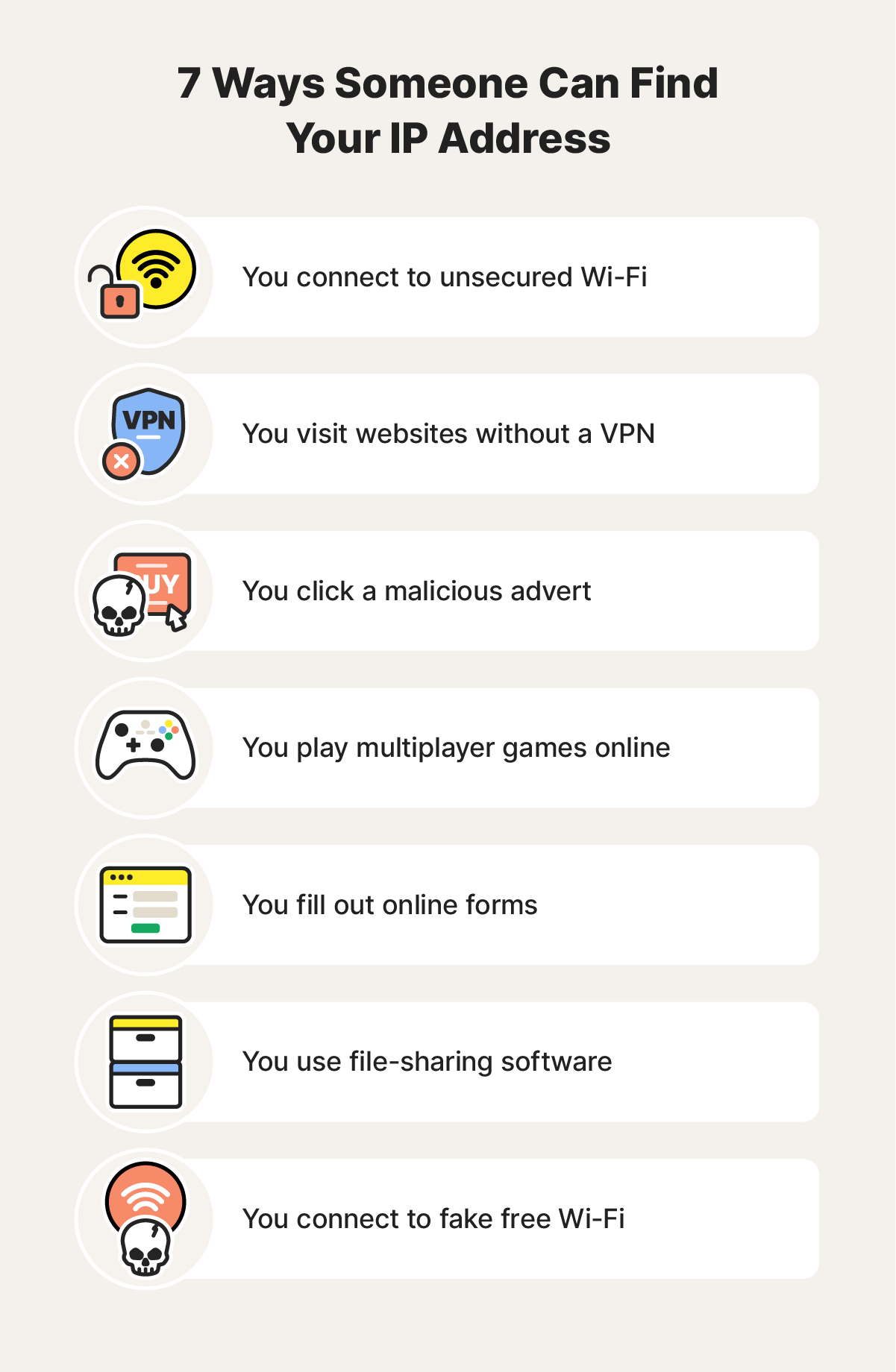
There are various ways someone can find your IP address, some legitimate and others not. There are some common ways snoops and scammers can find your IP address, including if you take any of the following everyday actions:
- Connect to public Wi-Fi: When you use public Wi-Fi, cybercriminals connected to the same network may be able to discover your IP address since these networks may not offer strong security.
- Visit websites: When you visit a website, the server stores your IP address and the owner can see every IP address that has visited their site.
- Click a malicious ad: If you click a malicious ad, a hacker could install malware on your device, giving them access to your IP address, and more.
- Participate in online gaming: When you play a game online with other players, the platform may expose your IP address to other participants in the gaming community.
- Fill out online forms: When you register for a website or fill out a form online, the website may store your IP address.
- File share: When you use file-sharing software, other users may be able to view your IP address.
- Connect to fake free Wi-Fi hotspots: Cybercriminals can create compromised hotspots labelled something like “XYZ Free Wi-Fi” to trick you into connecting to steal your IP address.
What can people do with your IP address?
You might not think twice about your IP address, but as well as being an essential component of internet functionality, cybercriminals can use it for malicious purposes.
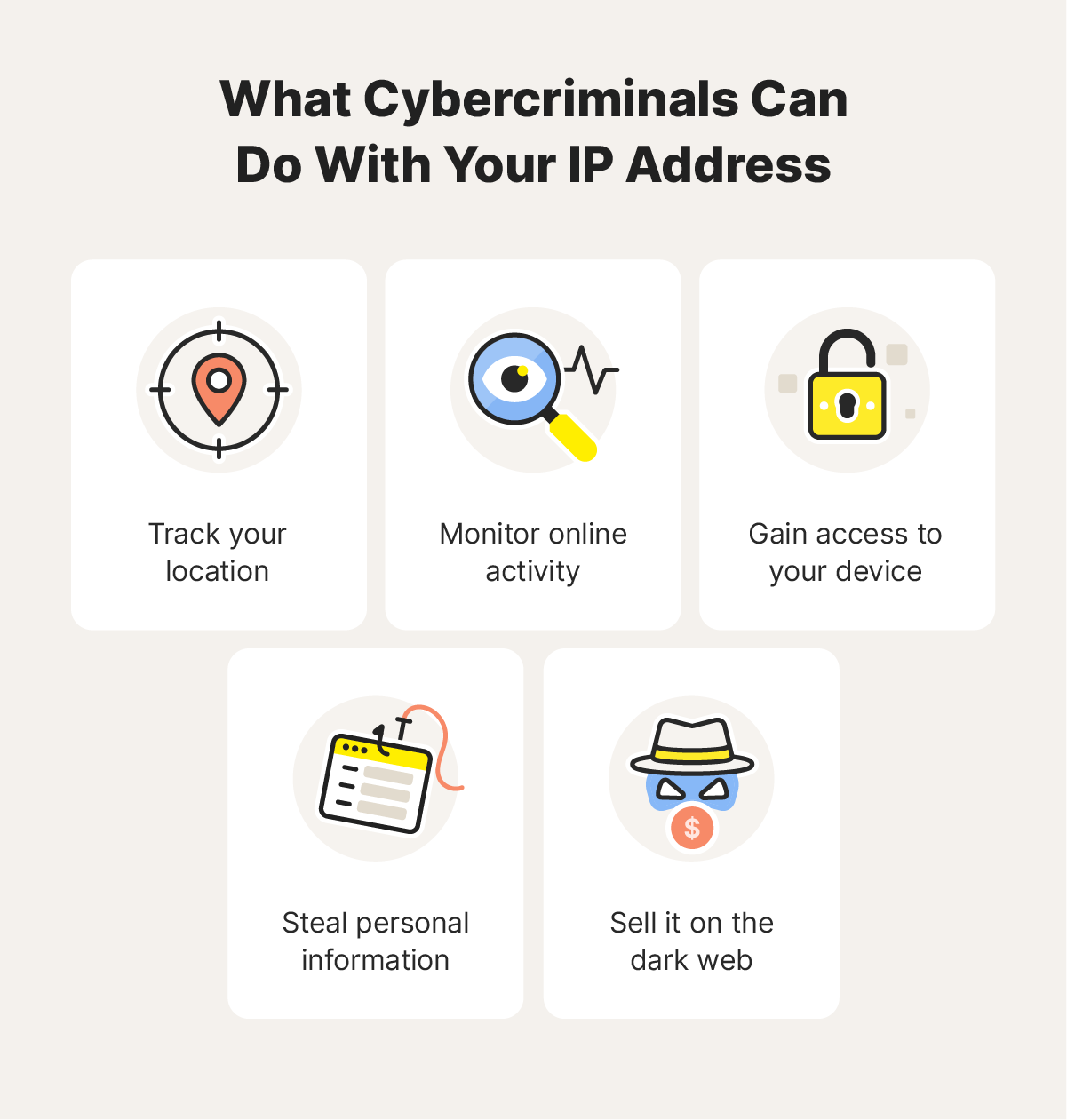
Here are some nefarious activities snoops and hackers can do with your IP address.
Track your location
Cybercriminals can use your IP address to narrow down your geographical location. Although your IP address doesn’t give away your exact location (such as your house number or street), it can expose your city or region. If bad actors get this information, they may be able to combine it with other information from your digital footprint to home in on your address.
Monitor online activity
If you’re using a company laptop or desktop computer, your employer can use your IP address to track your online activity and monitor the websites you visit. Marketers may also use this information to target ads based on your online activity and location.
Gain access to your device
If a cybercriminal has your IP address, they could use a port scanner to find open ports or vulnerabilities and use them to hack your phone or computer. Once they establish access to your device, they can install different types of malware or even impersonate you for illegal activities.
Steal personal information
Many cybercriminals are after personally identifiable information (PII), such as contact information or credit card and banking details. Your IP address alone doesn’t give any of this away, and someone can’t use it to access your details directly.
However, cybercriminals with your IP address can use it to launch personalised phishing attacks. Hackers know you're more likely to click on a phishing email or answer a call if it appears to be from a service you currently use. By obtaining your IP address, they could identify your internet provider and spoof emails or calls, tricking you into disclosing sensitive data.
Sell it on the dark web
Cybercriminals might sell your IP address on the dark web along with other personal information. If it’s included with enough sensitive data, criminals could use it for fraud, identity theft, and other illegal activities.
Use a breach detection tool to find out if your information has been leaked on the dark web. For ongoing protection, consider a dark web monitoring service that notifies you if any of your personal information is discovered on the dark web.
How to protect your IP address
To help prevent your IP address from being used maliciously, use a VPN, improve your privacy settings, update your router and firewall, and be wary of suspicious links or websites while online.
Get a VPN
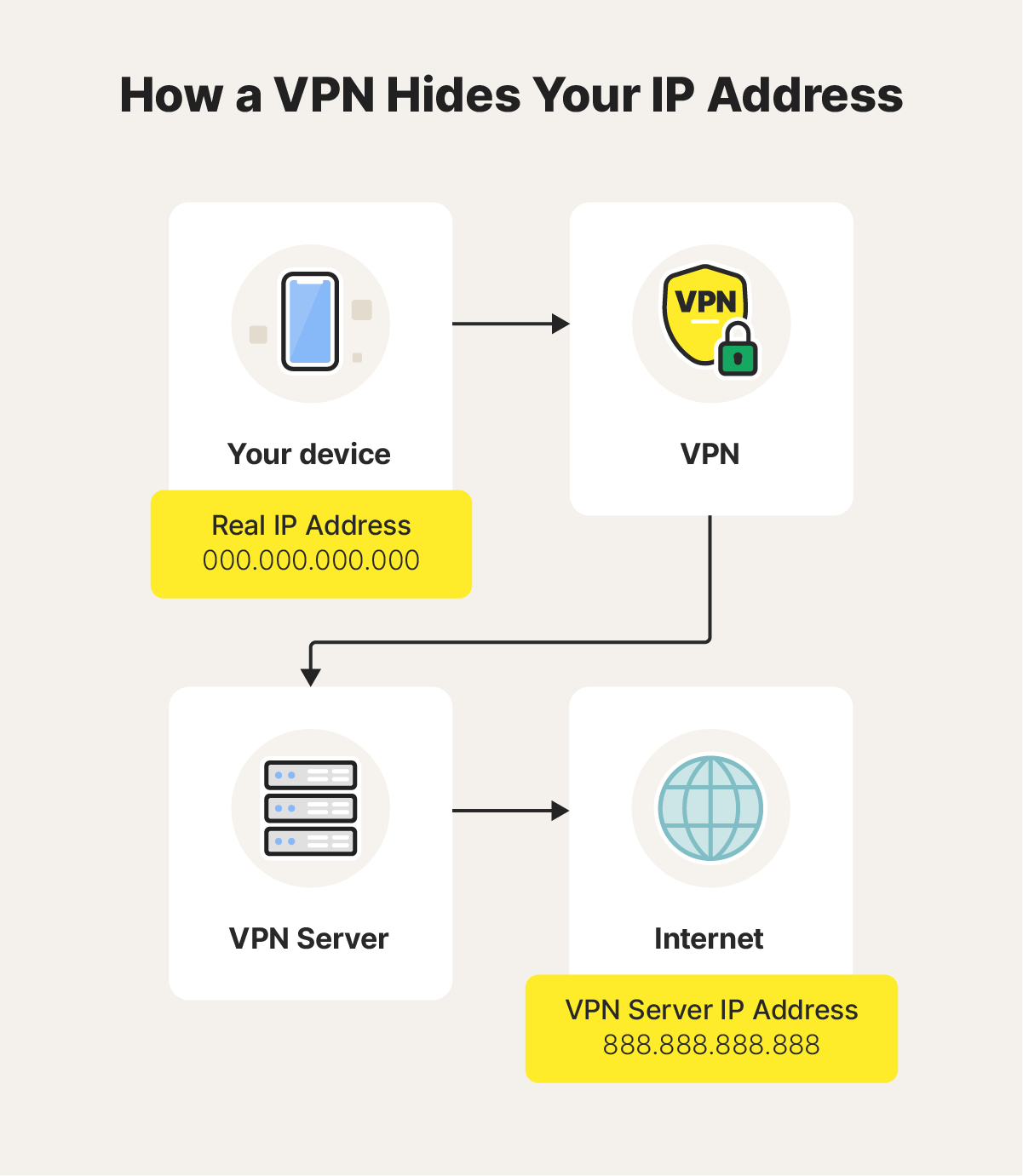
A virtual private network (VPN) masks your IP address and encrypts your online activity, making it nearly impossible for cybercriminals—or anyone else—to uncover your real IP. When you have a VPN installed and connected, your real IP address is hidden and the virtual IP address of the VPN server appears in its place.
Improve your privacy settings
While managing your privacy settings may not prevent your IP address from being exposed, adjusting permissions on apps and messaging software can help secure other sensitive information that could be used to pinpoint your identity and exact location. Always be careful about which apps have access to your location, photo library, or online status.
Update your router and firewall
Make sure you update your firewall and router firmware when new updates are available to ensure you have security to defend against hackers. If you don’t regularly update your software, cybercriminals may be able to exploit vulnerabilities to access your IP address.
Additionally, you should choose a secure password for your router, and occasionally update it using different combinations of upper case letters, lower case letters, numbers, and special characters.
Exercise caution when browsing the internet
When you’re online, keep your guard up and avoid clicking any websites, links, or downloads that seem suspicious, since hackers can use them to harvest sensitive information, including your IP address. Also, don’t share your personal information online with untrusted sources.
Safeguard your IP address with a VPN
A VPN is one of the best defences against cybercriminals who want to collect your IP address and use it for malicious activities like location tracking, hacking, or data stealing.
Norton VPN hides your real IP address behind a secure virtual IP address, helping to protect the data you send and receive with powerful bank-grade encryption. Get Norton VPN now to browse with fewer annoying targeted ads and keep what you do online more private.
FAQs about protecting your IP address
Here are the answers to common questions about what happens if someone gets your IP address.
How do I find my IP address?
You can find your IP address by navigating to your device’s settings and reviewing the details of your internet connection. You can also search “what is my IP address?” on Google to discover your public IP address.
Should I be worried if someone has my IP address?
Some people and companies can access your IP address for legitimate purposes, so it’s not always a cause for concern. But, if a cybercriminal has your IP address, they could use it for malicious purposes.
Is it illegal to find someone's IP address?
No, it’s generally not illegal to find someone’s IP address. However, using an IP address for illegal activities such as hacking, cyberstalking, or harassment would be illegal under UK law.
How do I know if my IP address has been hacked?
If your IP address is hacked, you may notice signs like slower internet speeds, browser redirects, pop-ups, glitching, and other suspicious activity. If you see these signs, run an antivirus scan and check your accounts for suspicious activity.
Editorial note: Our articles provide educational information for you. Our offerings may not cover or protect against every type of crime, fraud, or threat we write about. Our goal is to increase awareness about Cyber Safety. Please review complete Terms during enrollment or setup. Remember that no one can prevent all identity theft or cybercrime, and that LifeLock does not monitor all transactions at all businesses. The Norton and LifeLock brands are part of Gen Digital Inc.








Want more?
Follow us for all the latest news, tips, and updates.